Interactive demo
Walk a finished case.
The demo opens the real case editor on a saved fictional assessment: labeled photos, source-tagged measurements, and a packet already drafted, ready to edit, preview, and export.
Scanning needs a phone. The walkthrough runs anywhere.
sections in the drafted packet
documents printed from one case record
home areas walked, photographed, and measured
source tags a measurement can carry
What you'll see
The real editor, not a mockup.
This is the same case editor every account uses, opened on a fictional home documented end to end. Change anything; your edits stay in this browser and touch nothing else.
- 01
Walk the case
Entrance, hallway, and bathroom, each with labeled photos, notes, and measurements. Every number carries a source tag, and missing information is flagged instead of guessed.
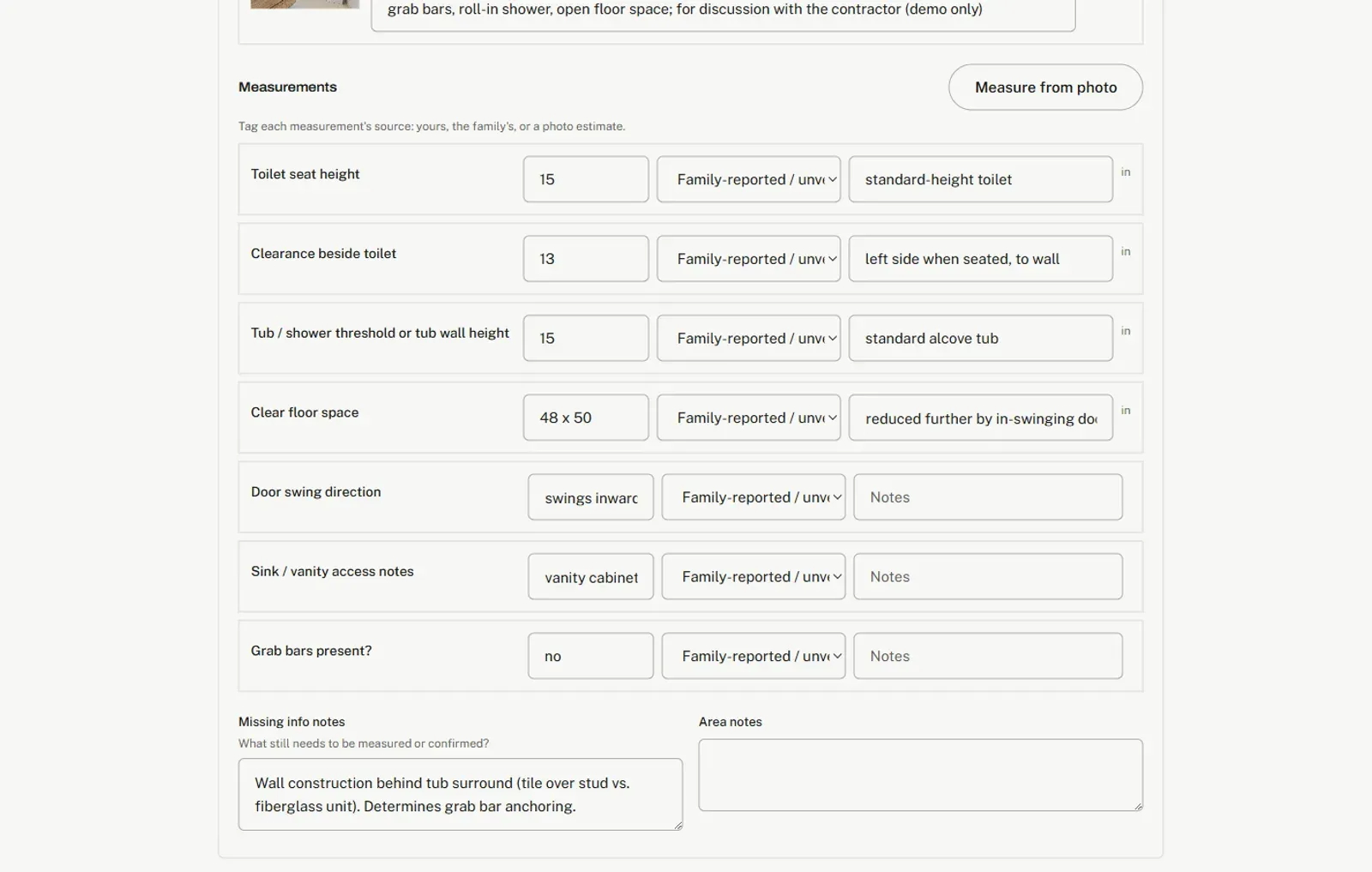
THE CASE EDITOR · STEP 01 · AREAS - 02
Read the drafted packet
All 15 sections, built from the case's own inputs: 11 written by the rule engine and 4 judgment sections drafted by a model. Every section is plain text you can rewrite; the packet stays a draft until a professional signs.
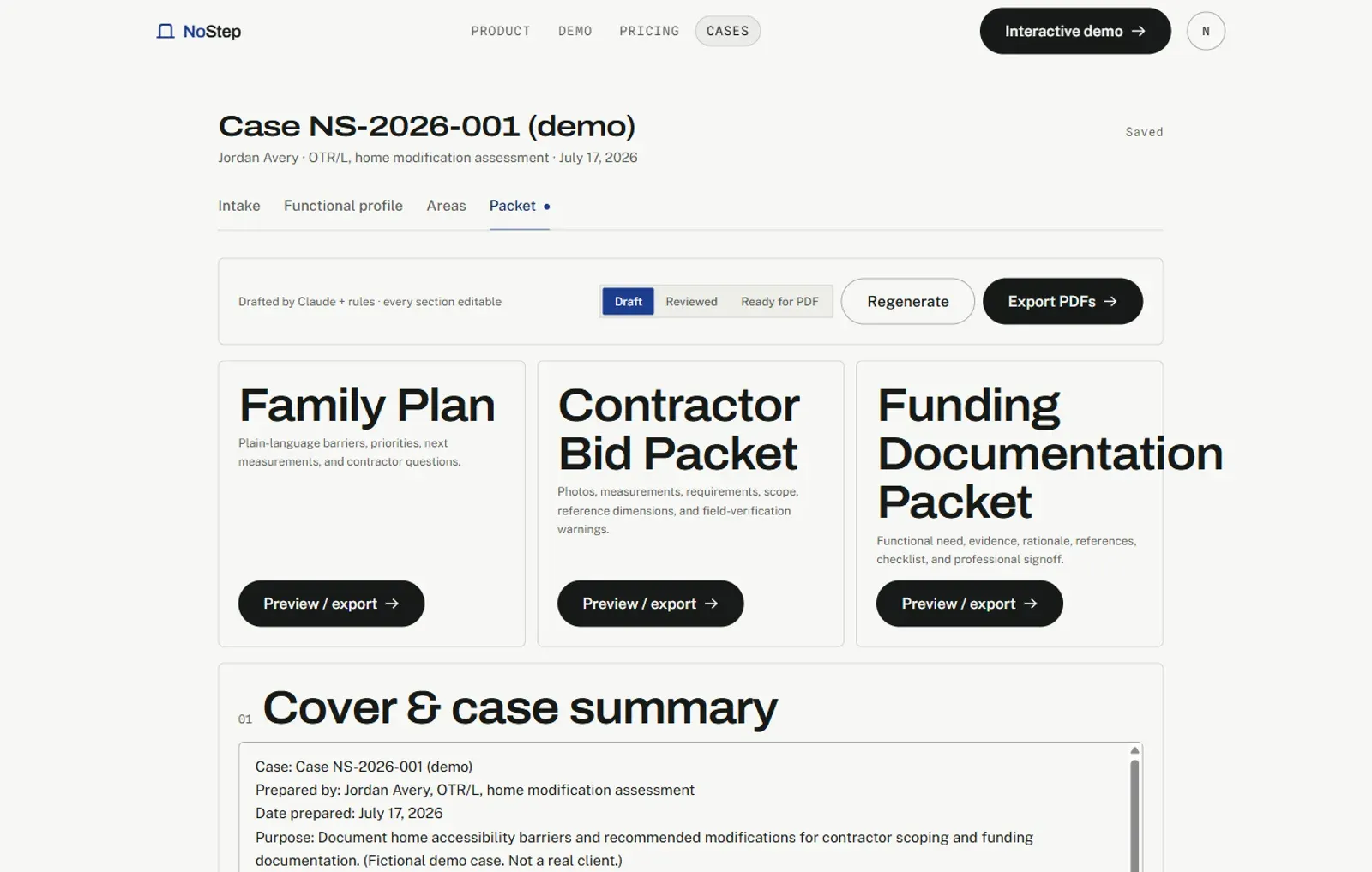
THE CASE EDITOR · STEP 02 · PACKET - 03
Preview the exports
Print the same record three ways: a Family Plan, a Contractor Bid Packet, and a Funding Documentation Packet. Each view selects the sections its reader needs.
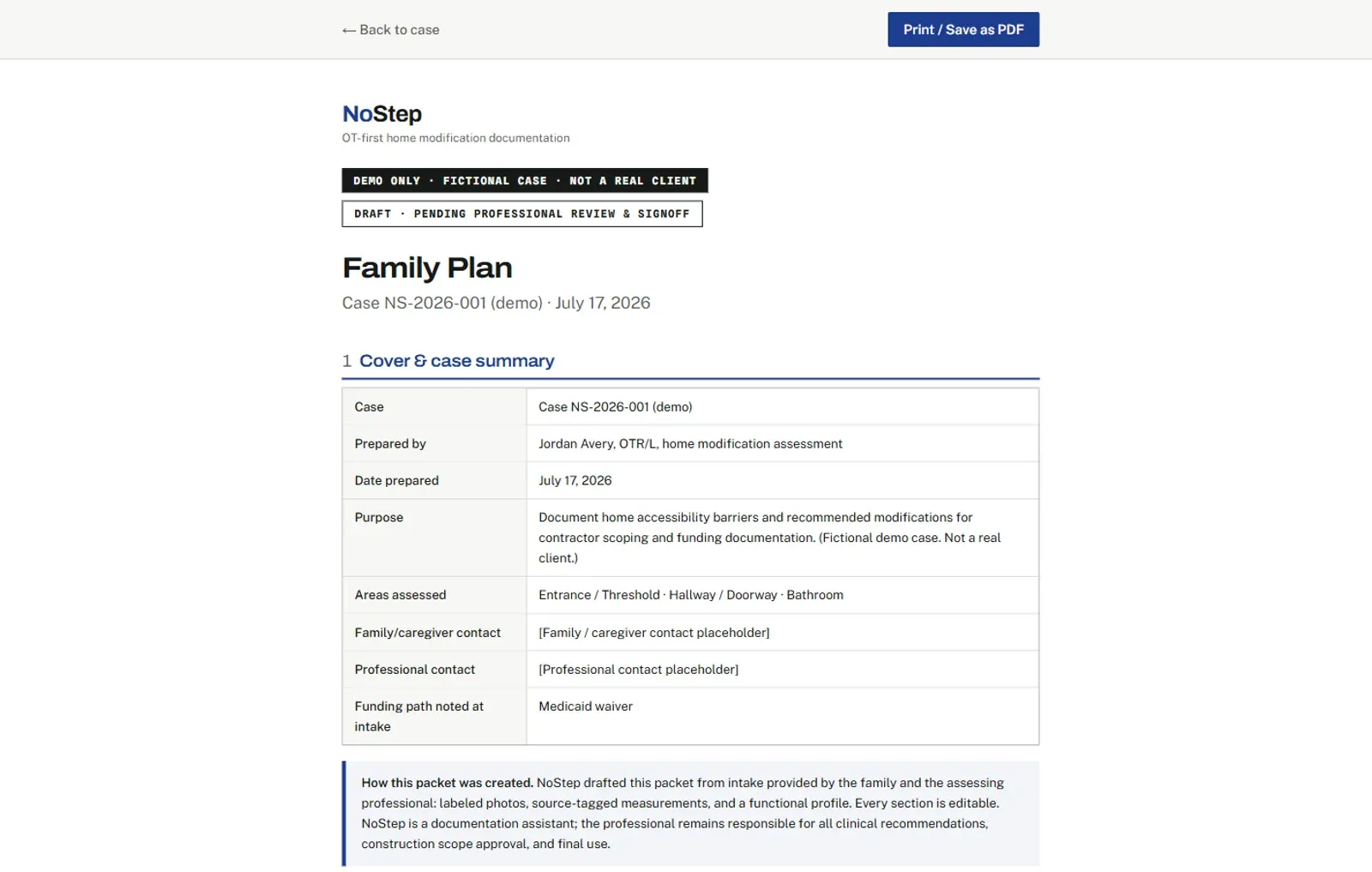
THE CASE EDITOR · STEP 03 · EXPORTS
- 01
Walk the case
Entrance, hallway, and bathroom, each with labeled photos, notes, and measurements. Every number carries a source tag, and missing information is flagged instead of guessed.
THE CASE EDITOR · STEP 01 · AREAS - 02
Read the drafted packet
All 15 sections, built from the case's own inputs: 11 written by the rule engine and 4 judgment sections drafted by a model. Every section is plain text you can rewrite; the packet stays a draft until a professional signs.
THE CASE EDITOR · STEP 02 · PACKET - 03
Preview the exports
Print the same record three ways: a Family Plan, a Contractor Bid Packet, and a Funding Documentation Packet. Each view selects the sections its reader needs.
THE CASE EDITOR · STEP 03 · EXPORTS
Ready when you are.
The demo is yours to explore. When a real assessment lands on your desk, the first case is free, no card required.
Demo packet (PDF)